JobSnap keeps the job and the books connected in one workflow. Price a job by cost and markup, turn the award into invoices, track every supplier bill against it — and your profit, your GST return and your balance sheet all update themselves.
Opens with sample data so you can click through everything first.

Not a general-purpose accounting package with job costing bolted on the side, and not a US remodeler app. Trades, subtrades and specialty contractors alike — any work that gets quoted, awarded, supplied, installed and billed in draws, with configurable sales-tax and holdback workflows.
Enter unit cost and markup; the price follows. See the margin per line and per job before you send it — then compare it to what the job actually delivered.
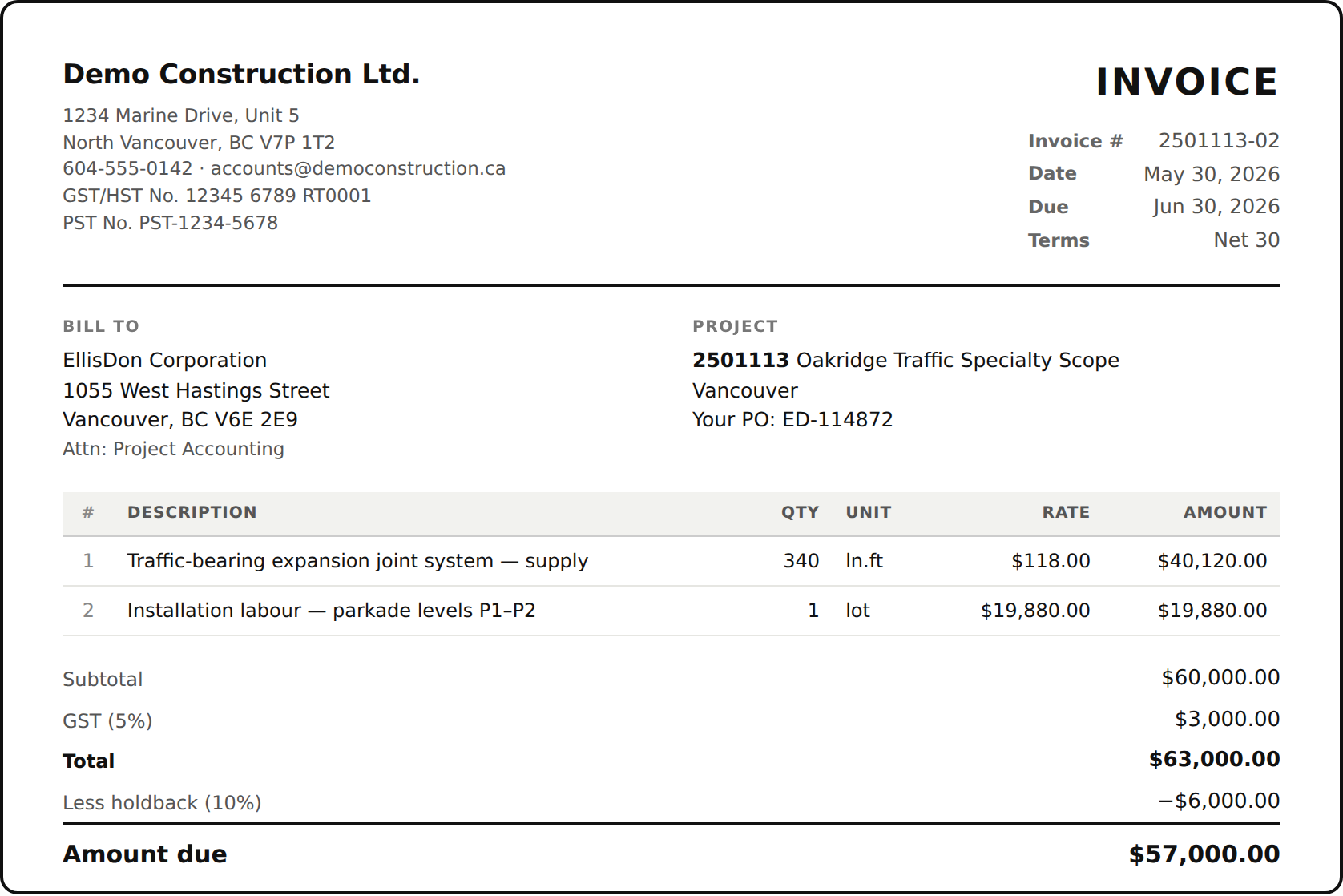
Your letterhead, their PO reference, line items, GST, holdback deducted the way a BC progress invoice reads, with clear holdback disclosure. Print or save as PDF.
Part numbers, ship-to, required-by dates. Turn a PO into the bill in one click, and see committed cost against what has actually been billed.
Configurable Canadian tax defaults, including supply-only and supply-and-install treatment. Confirm the correct province and contract treatment with your accountant.
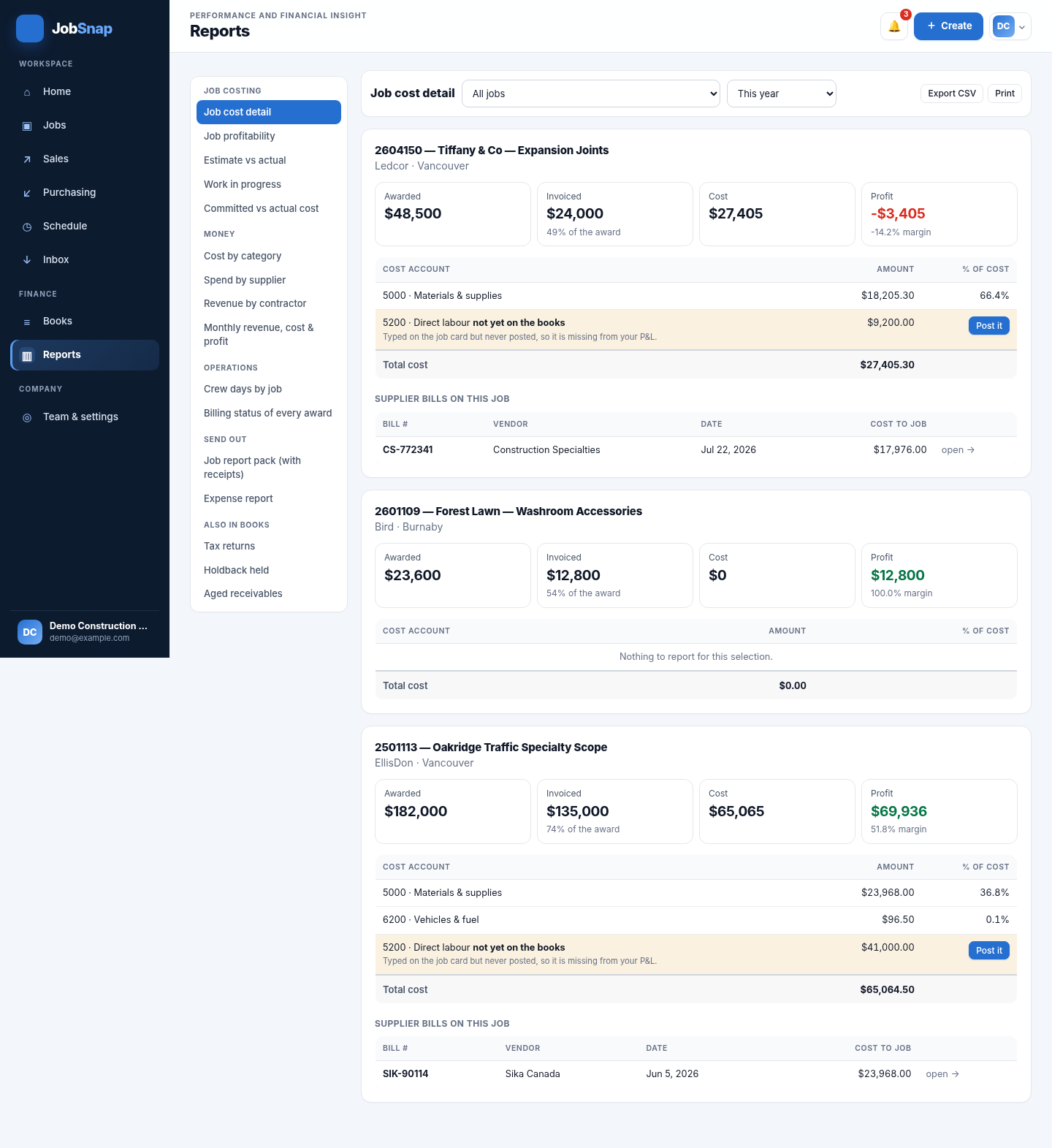
Job cost detail, profitability, estimate vs actual, work in progress, committed vs actual, spend by supplier, revenue by contractor. All drill down. All export.
Real double-entry. Invoices, bills and payments post automatically, and the reports use the same ledger-derived records.
Open any job and see what was awarded, what you've billed, what's left to bill, what it has cost you and what you're making — without waiting for your bookkeeper.
Estimates, invoices and purchase orders print on your letterhead with your GST number, payment terms and bank details — the difference between getting paid in 30 days and chasing it for 90.
JobSnap installs straight from this page — no app store, no download, no waiting for approval. It opens in its own window, can reopen its cached shell without a signal, and updates itself. Cloud data and saving still require a connection.
Everyone on your crew installs the same way and joins your company with a temporary, revocable invite code.
No. Plenty of people will run JobSnap for jobs, estimating and job costing and keep their accountant on QuickBooks — everything exports to Excel and CSV. If you do want to move the books across, JobSnap keeps a full double-entry ledger, trial balance and statements.
It prepares it — lines 101, 105, 108 and 109 filled in for whatever period you pick, plus a separate PST return. You or your bookkeeper file it through CRA My Business Account. Have your accountant confirm the treatment of supply versus installation before you rely on it.
Yes. They create an account, enter your company's invite code, and see the same jobs and schedule. On a phone they can look up a job, check the week's crew board, and photograph supplier invoices and packing slips straight onto the job.
Each company's records are locked to that company in the database itself, not just in the app — company records are isolated through database Row Level Security and must be verified before launch. You can export everything to Excel at any time; nothing is held hostage.
It is in active development and honest about it. Estimating, invoicing, purchase orders, supplier bills, payments, job costing, reporting and the books all work today. Optional document reading is included when its secured Edge Function is deployed; emailing documents and bank reconciliation remain scheduled work.
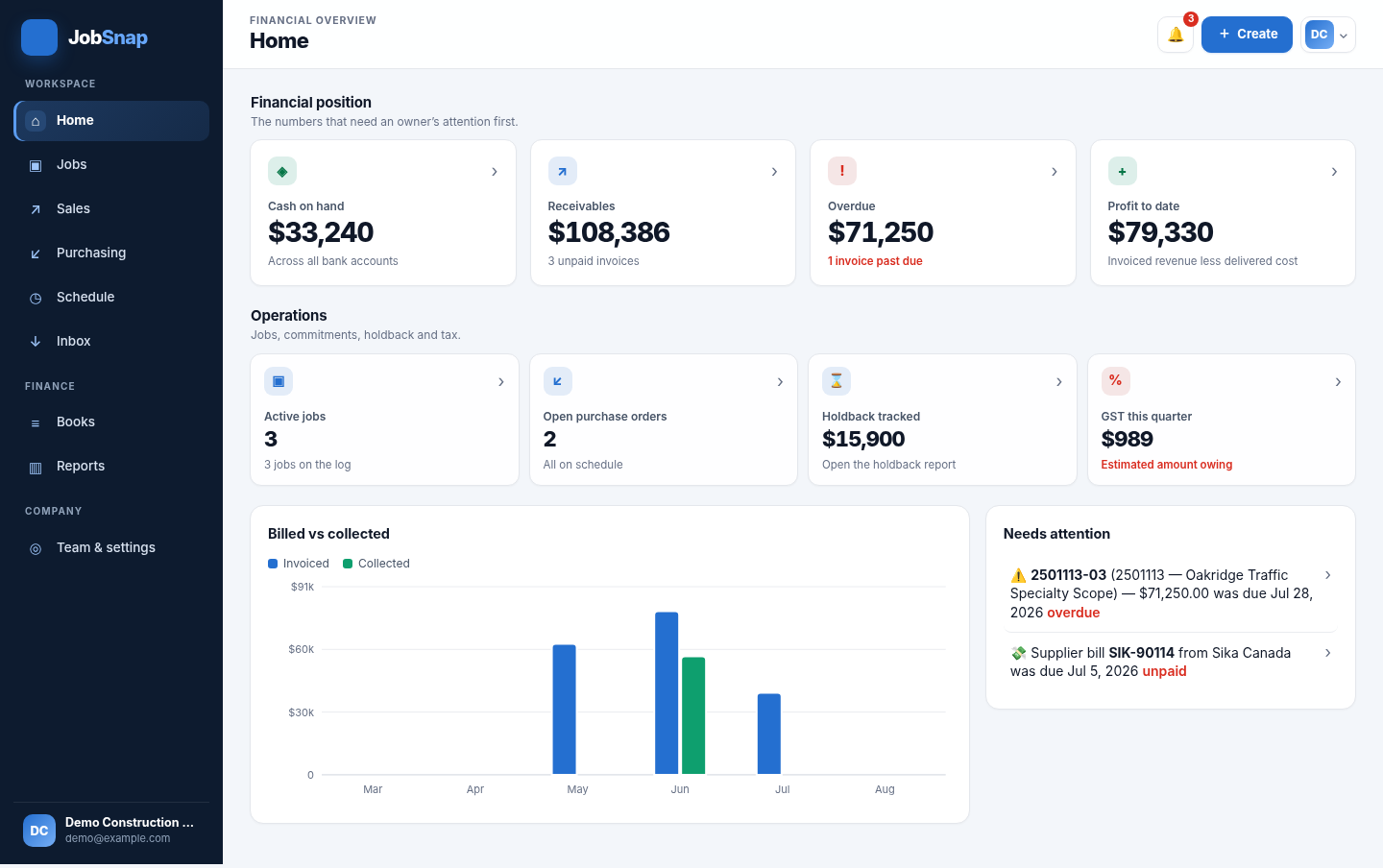
Nothing to sign up for and nothing to install — the demo opens with three jobs, real invoices and a working set of books.
Open JobSnap